KeyThock app icon
KeyThock for Mac

Make every key sound like yours.

KeyThock brings recorded mechanical keyboard sound to every Mac app, then lets you tune the tone, timing, and feel.

Keyboard sound, reimagined. macOS 13 and later.

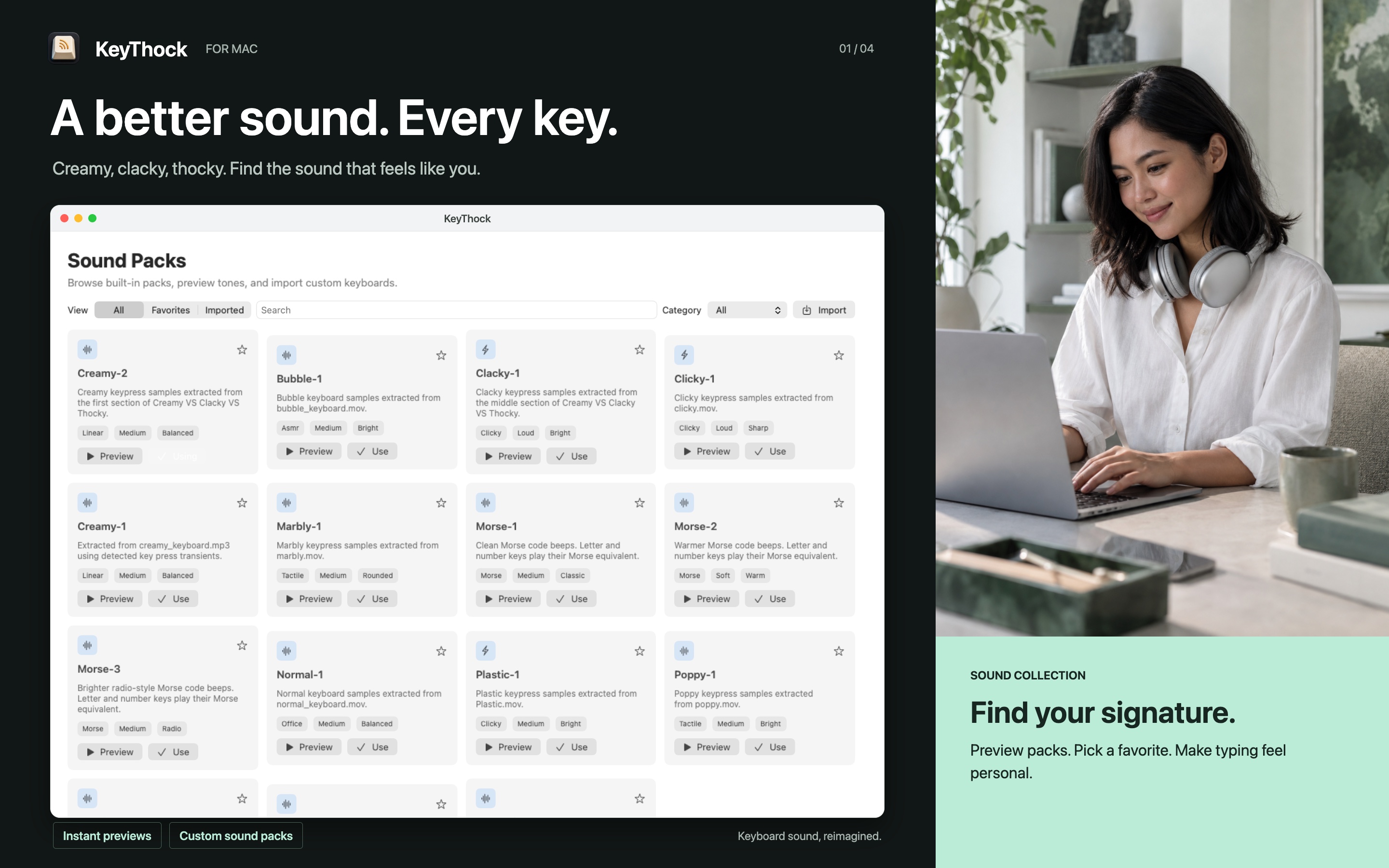
KeyThock Sound Packs library with recorded mechanical keyboard sounds
20+ sound packsFrom creamy to unmistakable
Precision mixerTone, levels, and effects
7 typing gamesSpeed, accuracy, and rhythm
Local by designYour typing stays on your Mac
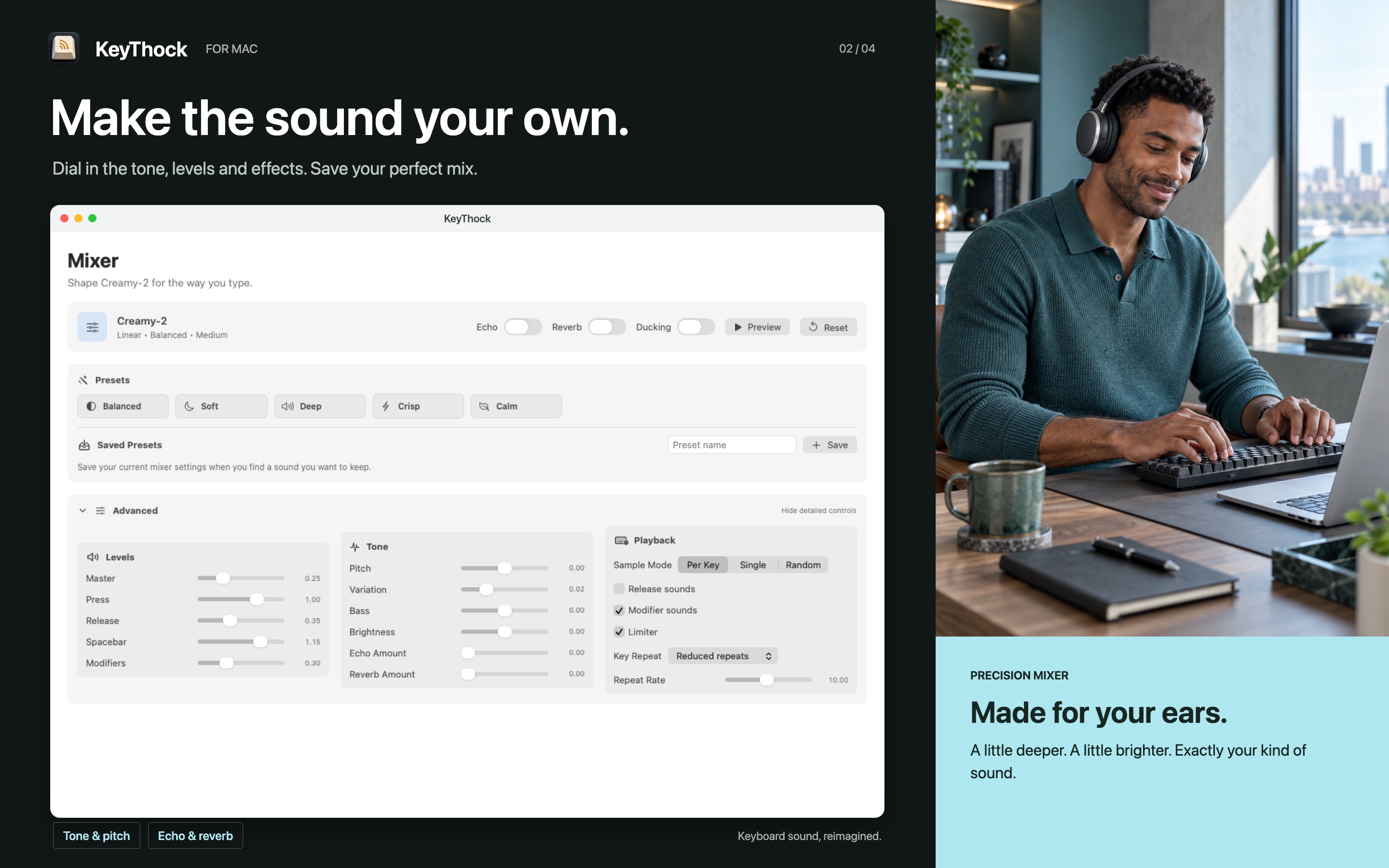
KeyThock precision mixer with presets, tone controls, and playback settings

Tune more than volume.

Shape press, release, spacebar, modifiers, pitch, variation, bass, brightness, echo, and room.

  1. 01Press & releaseControl the feel of every keystroke.
  2. 02Spacebar & modifiersGive the big keys their own weight.
  3. 03Pitch & variationMake a pack tighter, deeper, or more alive.
  4. 04Bass & brightnessFind the balance that fits your desk.
  5. 05Echo & roomAdd just enough depth and atmosphere.
  6. 06Saved presetsKeep the mixes you want to return to.

Make practice playable.

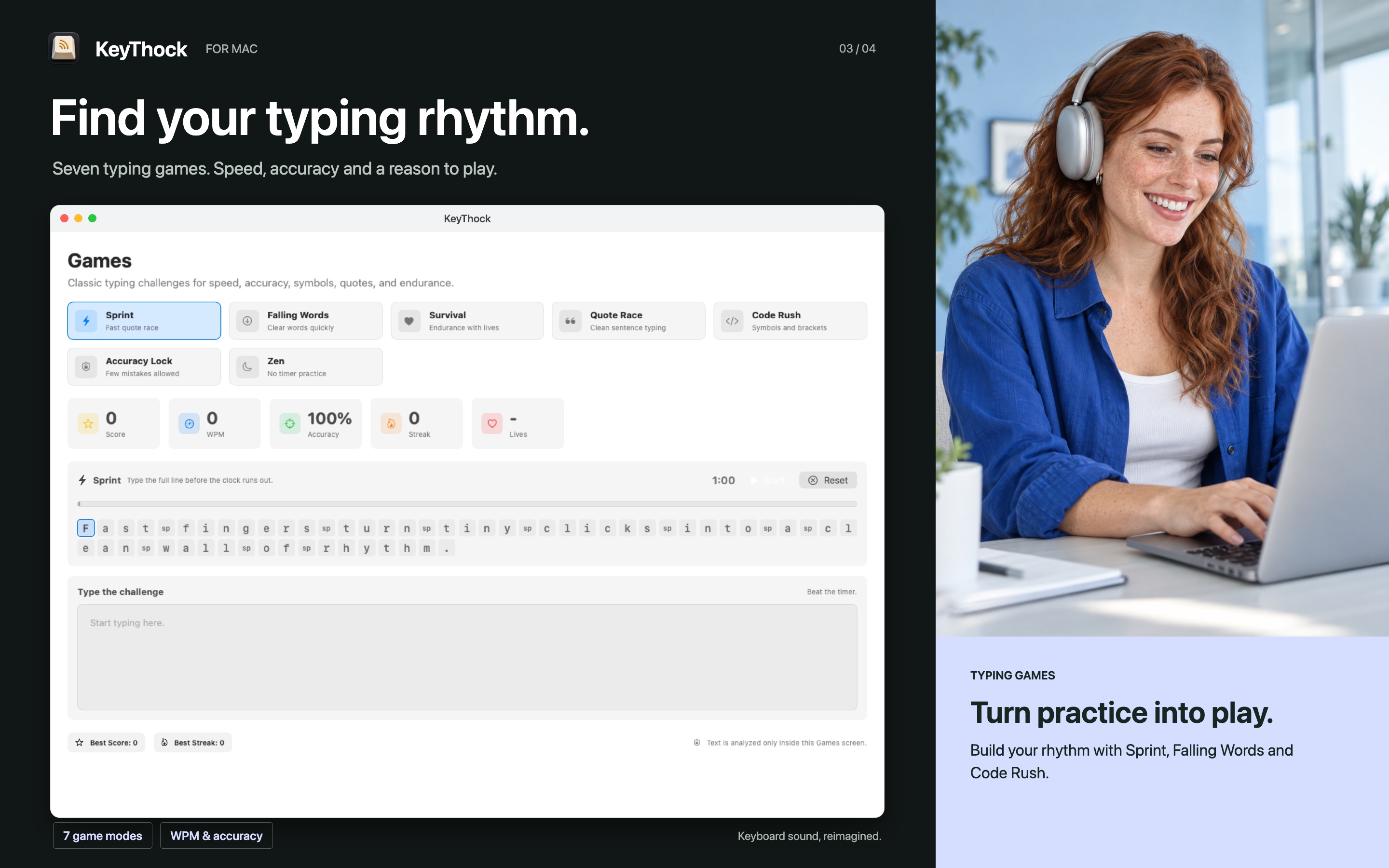
Sprint, Falling Words, Survival, Quote Race, Code Rush, Accuracy Lock, and Zen keep your fingers moving.

  1. 01SprintFast quote race
  2. 02Falling WordsClear words quickly
  3. 03SurvivalEndurance with lives
  4. 04Quote RaceClean sentence typing
  5. 05Code RushSymbols and brackets
  6. 06Accuracy LockFew mistakes allowed
  7. 07ZenNo-timer practice
KeyThock typing games with Sprint, Falling Words, Survival, and Code Rush

The rest of your typing setup, considered.

Quick when you want it. Deep when you need it.

01

Per-key personality

Assign specific samples across a full keyboard layout, including a deeper Space or a sharper Return.
02

App profiles

Use creamy sounds for writing, clicky tones for code, and automatic mute rules for calls.

03

Menu bar speed

Switch packs, preview sound, set volume, mute temporarily, and check status without breaking focus.

04

Focus tools

Run Pomodoro sessions or a private typed-character countdown that never stores the characters.

05

Bring your own sound

Import a local .thockpack, .zip, or folder and make the keyboard unmistakably yours.

06

Built-in diagnostics

Check audio, Input Monitoring, keyboard listening, and playback decisions from one clear panel.

Your typing stays yours.

KeyThock uses key identity only to choose a local sound. It does not store typed text, reconstruct words, read your clipboard, take screenshots, or send keystrokes to a server.
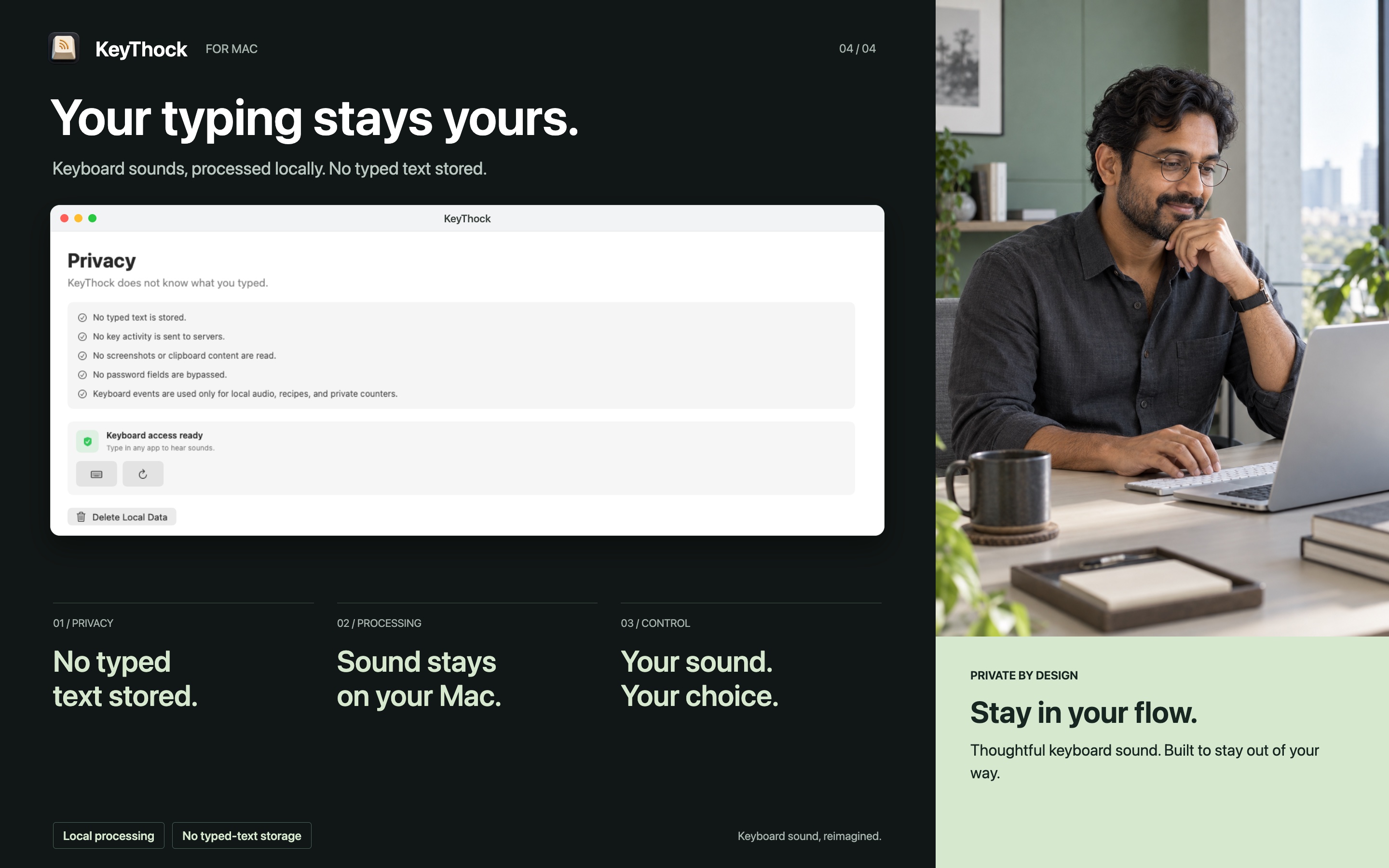
No typed text storedRaw key events are discarded after local playback.
No analytics or adsNo tracking, telemetry, or behavioral profiles.
No account or serverPreferences and imported sound packs stay local.
Read the privacy policy
KeyThock privacy controls explaining local processing and no typed-text storage

Give every key a better sound.

KeyThock is available for macOS 13 and later.