SitPose — Sit straight, on-device.
Prop your phone to your side, start a work session, and SitPose uses the front camera and on-device pose detection to gently nudge you upright the moment you slouch or crane your neck. No video is ever recorded or uploaded — everything stays on your iPhone.
SitPose
Health & Fitness · iPhone · iOS 17+ · Built by QnSub Tech
A calmer posture habit, one session at a time
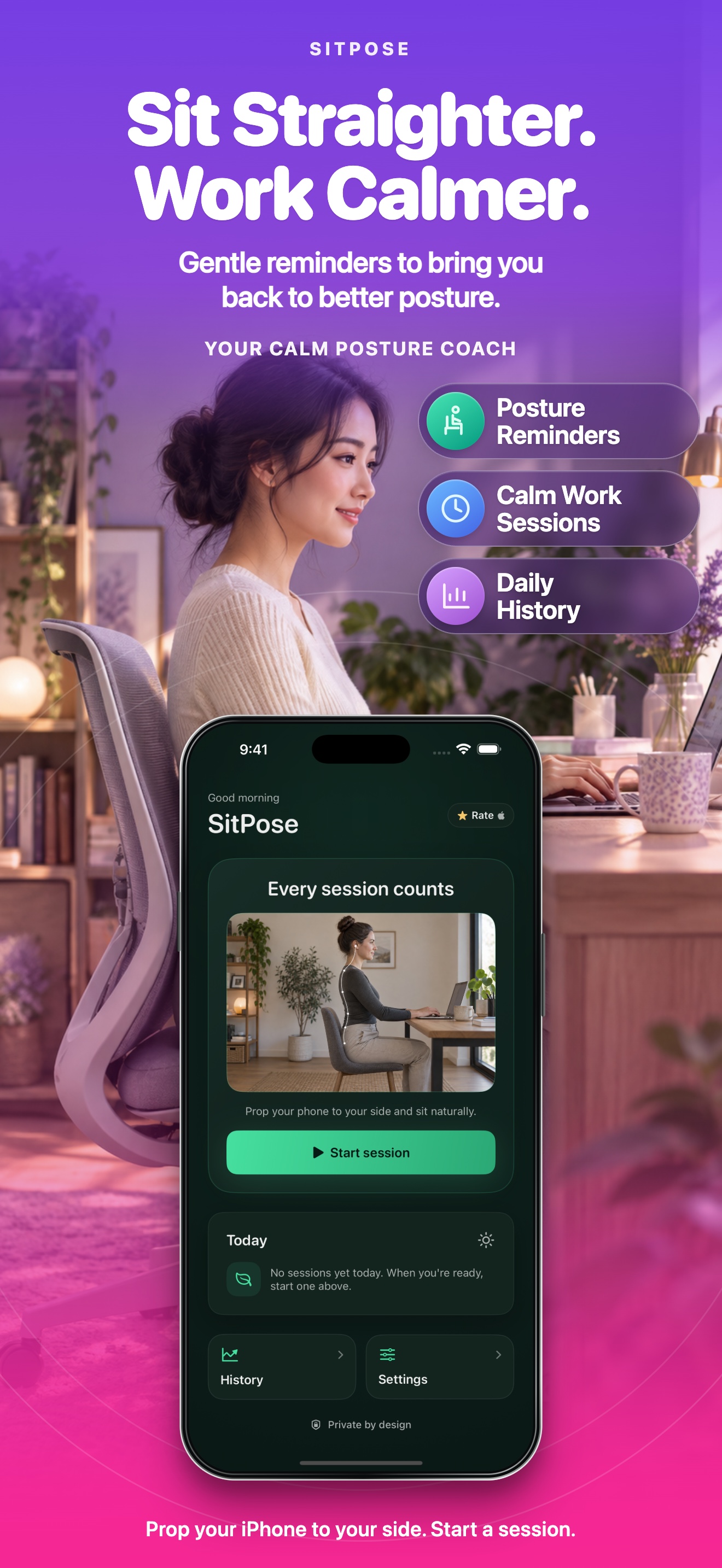
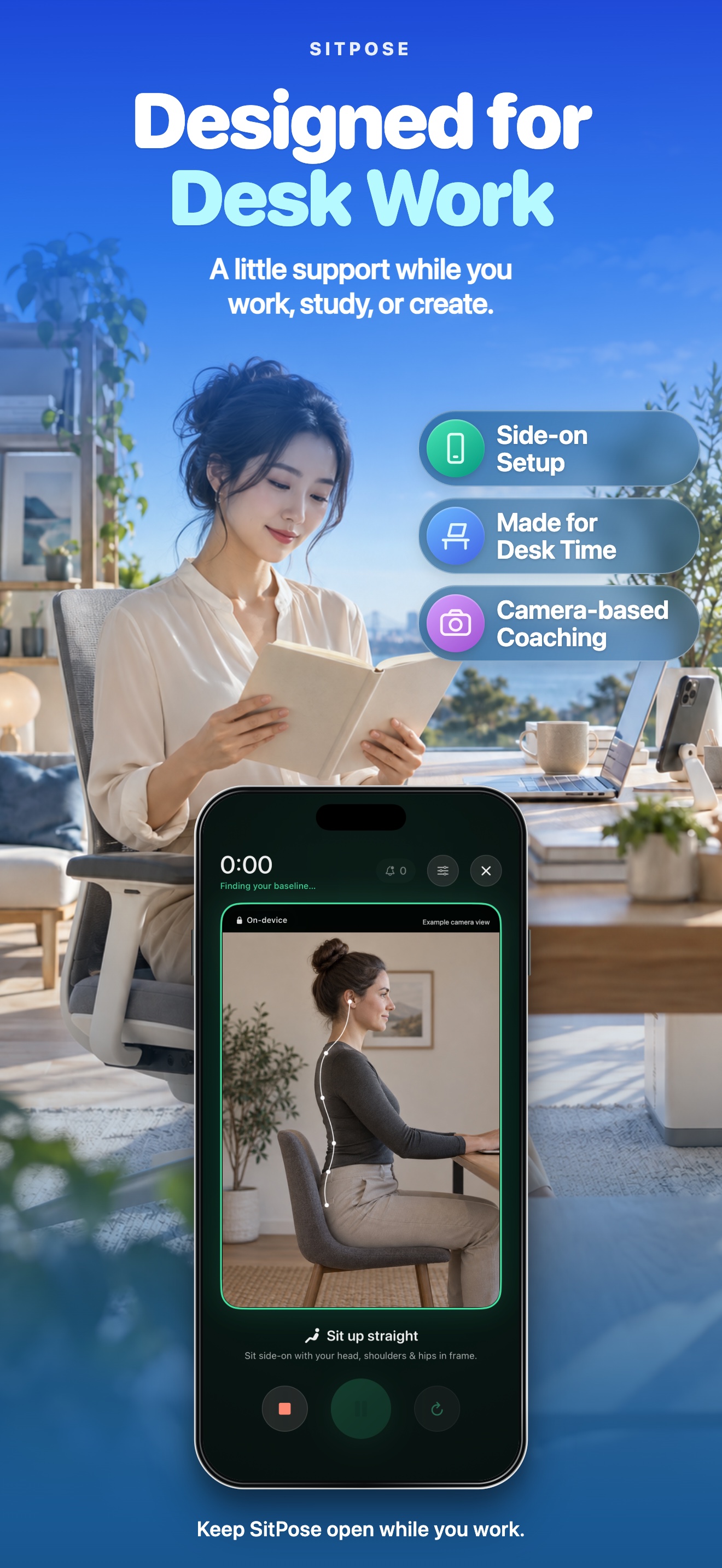
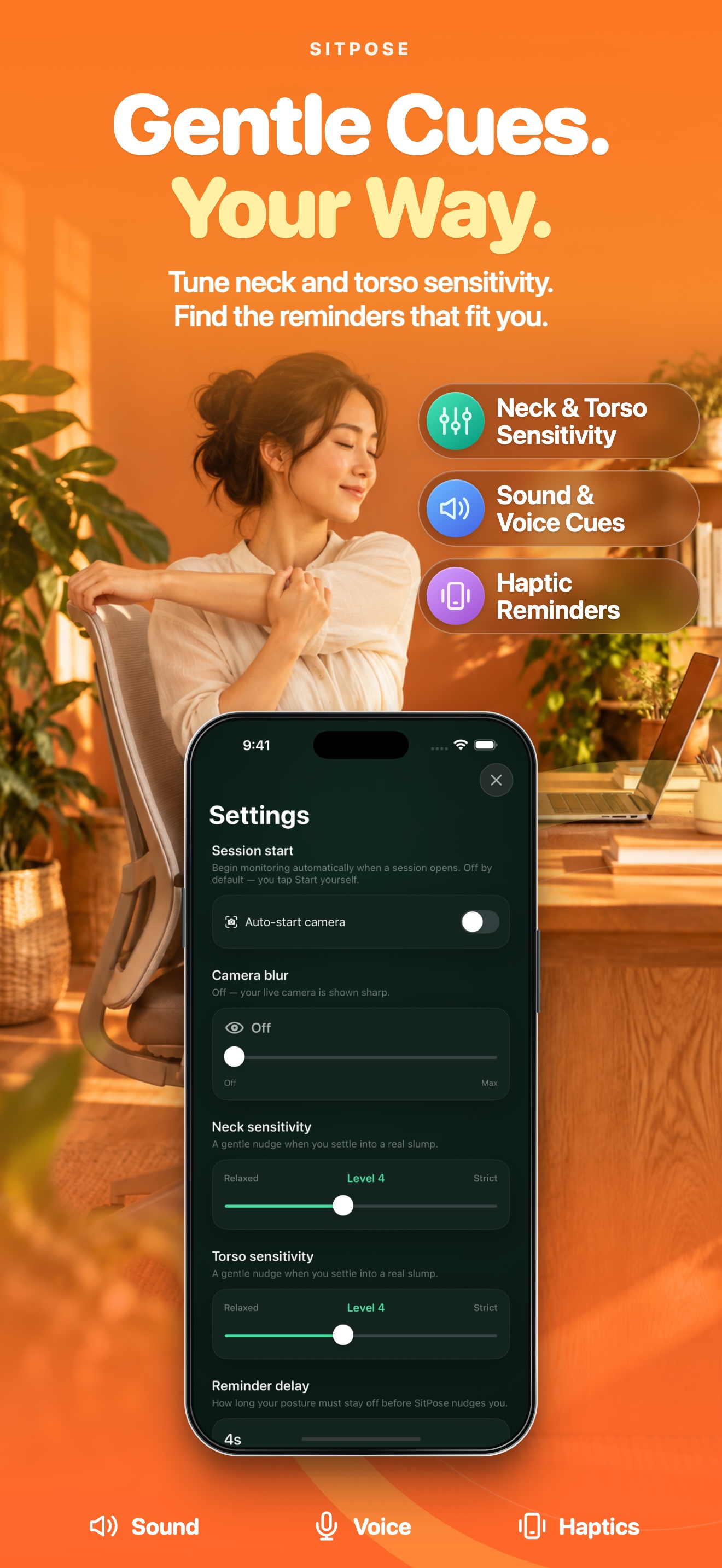
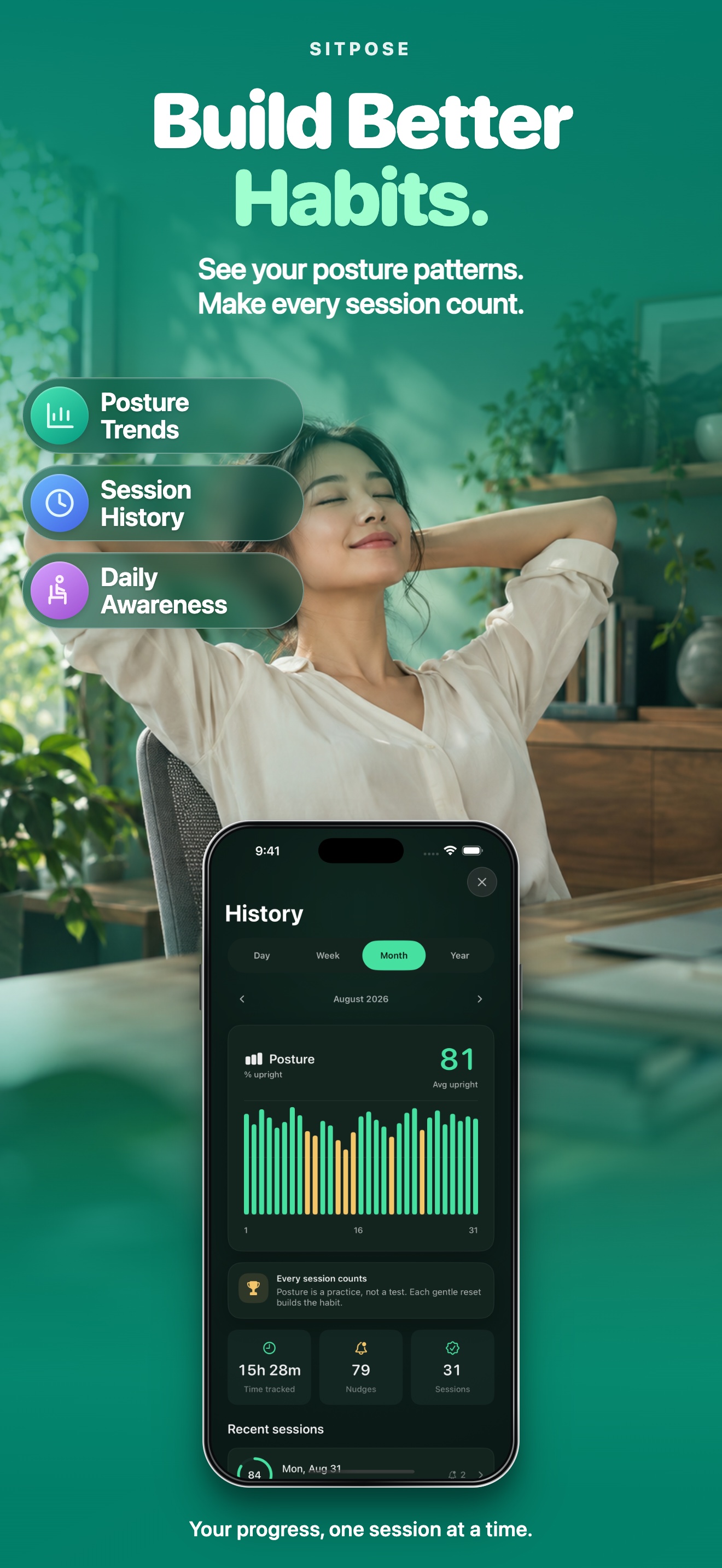
Explore the current App Store screenshots from SitPose 1.0.2, including setup, live coaching, reminder controls, and posture history.
How It Works
SitPose runs as a focused, screen-on work session — which keeps it private and gives you clean, meaningful stats instead of vague all-day numbers.
1 · Set Up
Prop your phone to your side in portrait or landscape. A live on-screen guide helps you frame yourself — the classic slouch and "tech neck" signals are only clearly visible from the side.
2 · Calibrate
"Sit up straight for 3 seconds." SitPose captures your baseline. Every alert is a deviation from your own good posture, not a one-size-fits-all rule.
3 · Monitor
A calm monitoring screen shows your live posture with a skeleton overlay and neck & torso gauges — processed on-device and never recorded. Hold a slouch past a short grace period and SitPose nudges you with a sound, a spoken cue, or a silent haptic.
4 · Review
When you stop, you get a quiet summary: focused time, percent in good posture, your longest streak, and how many times you slipped.
A Coach, Not a Nag
SitPose is tuned to feel calm and honest — it corrects you gently and never pads your score with an empty chair.
Calibrated to You
Alerts are based on your own baseline posture, captured in three seconds at the start of each session — not a generic rule.
A Grace Period
You have to hold a slouch for a few seconds before anything fires, so a quick reach for your coffee never nags you. Stay slouched and the cue escalates gently.
Separate Sensitivity
Tune neck and torso independently — strict, balanced, or relaxed — with on-screen gauges so you can see exactly why an alert fired and self-correct.
Your Choice of Cue
Pick a gentle sound, a spoken reminder, or silent haptics for shared offices. Set it once and SitPose nudges the way you like.
Auto-Pause
Step away and SitPose pauses the timer when no one's detected, then resumes when you return — so your "good posture" score stays honest.
Stand-Up Reminders
An optional soft chime to stand or walk every X minutes, on your own interval. Gentle by design — and it tracks the breaks you take.
Everything Stays on Your iPhone
No video recorded. No accounts. No analytics SDKs. No ad SDKs. No server. Uninstall and it's gone.
Pose detection runs entirely on your device with Apple's Vision framework — each camera frame is analyzed in memory and immediately discarded. SitPose has no account system and makes no network calls in the core product. Your settings and session stats live only on your phone.
Read the Privacy PolicyA calmer back starts here.
SitPose is available on the App Store as a calm, private posture coach for iPhone.
About SitPose
Build better sitting habits with SitPose for iPhone. Calibrate on-device posture monitoring, use gentle slouch cues and stand-up reminders, and review sessions.
- Available for
- iPhone and iPad
- Requires
- iOS 17.0 or later
- US App Store download
- US$1.99
Download price checked . Regional prices and optional in-app purchases may vary. Check the App Store for the current price.
View SitPose on the App StoreCommon questions
How do I start posture monitoring in SitPose?
Set up the phone as shown in the app, calibrate your sitting position, and start a session. SitPose uses that baseline for gentle cues and keeps session history on the device.
Is SitPose a medical posture assessment?
No. SitPose is a posture-awareness and reminder utility. It helps you notice habits and take breaks, rather than diagnosing back conditions or replacing clinical advice.
Do I need a wearable for slouch reminders at my desk?
SitPose uses the iPhone camera during an active session. You don't need a wearable, but the phone needs a stable position and a clear view after you calibrate. If you only want a timed break, look for the stand-up reminder.