Flip and rotate Live Photos. Keep the motion.
Flip, rotate, straighten, crop, and refine photos, Live Photos, and videos in one focused editor. Motion stays motion, audio stays aligned, and every edit runs privately on your device.

Flip Rotate Live Photos Videos
Utilities · Photo & Video · Built by QnSub · iPhone and iPad
Precise editing for every kind of moment
Use the same clear tools for a still image, a moving Live Photo, or a standard video.
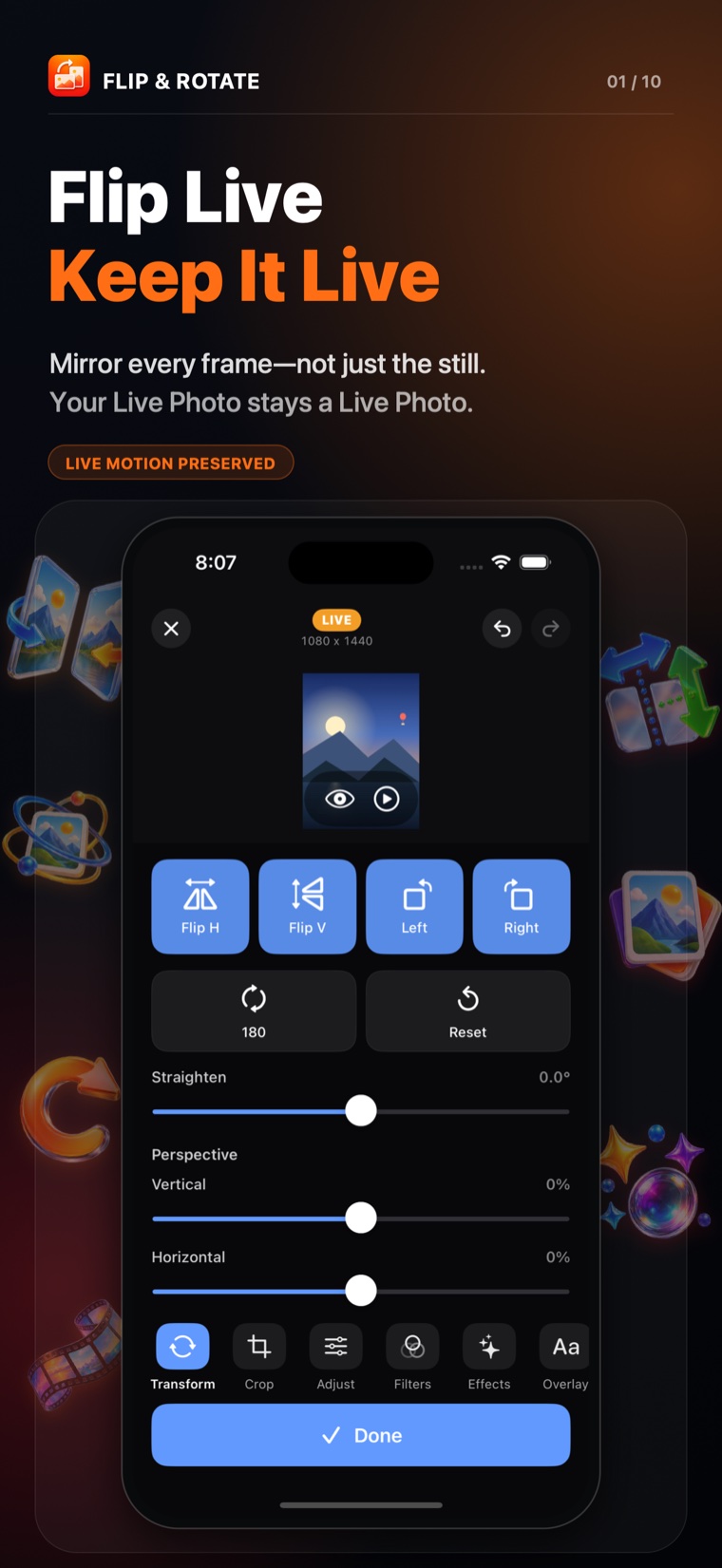
Flip Live. Keep it live.
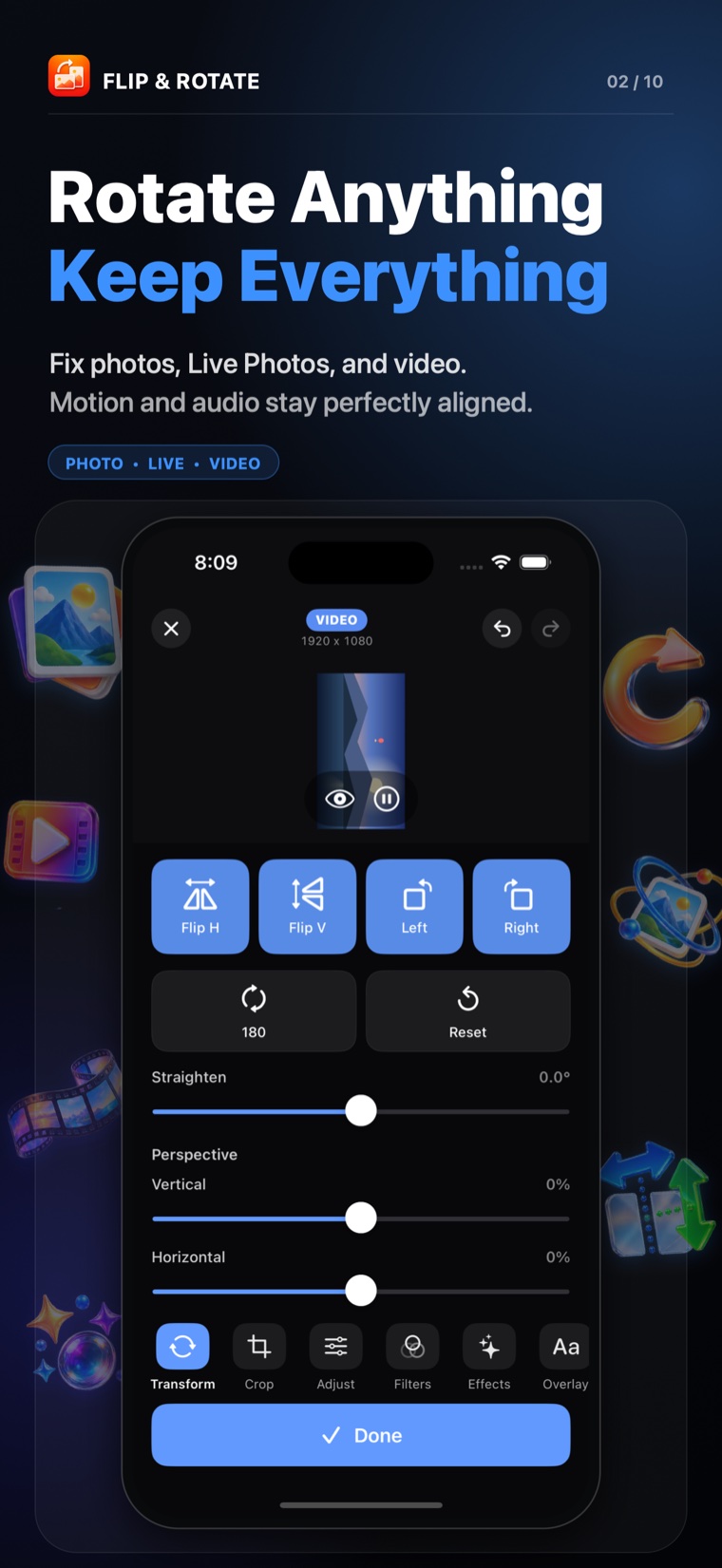
Rotate anything
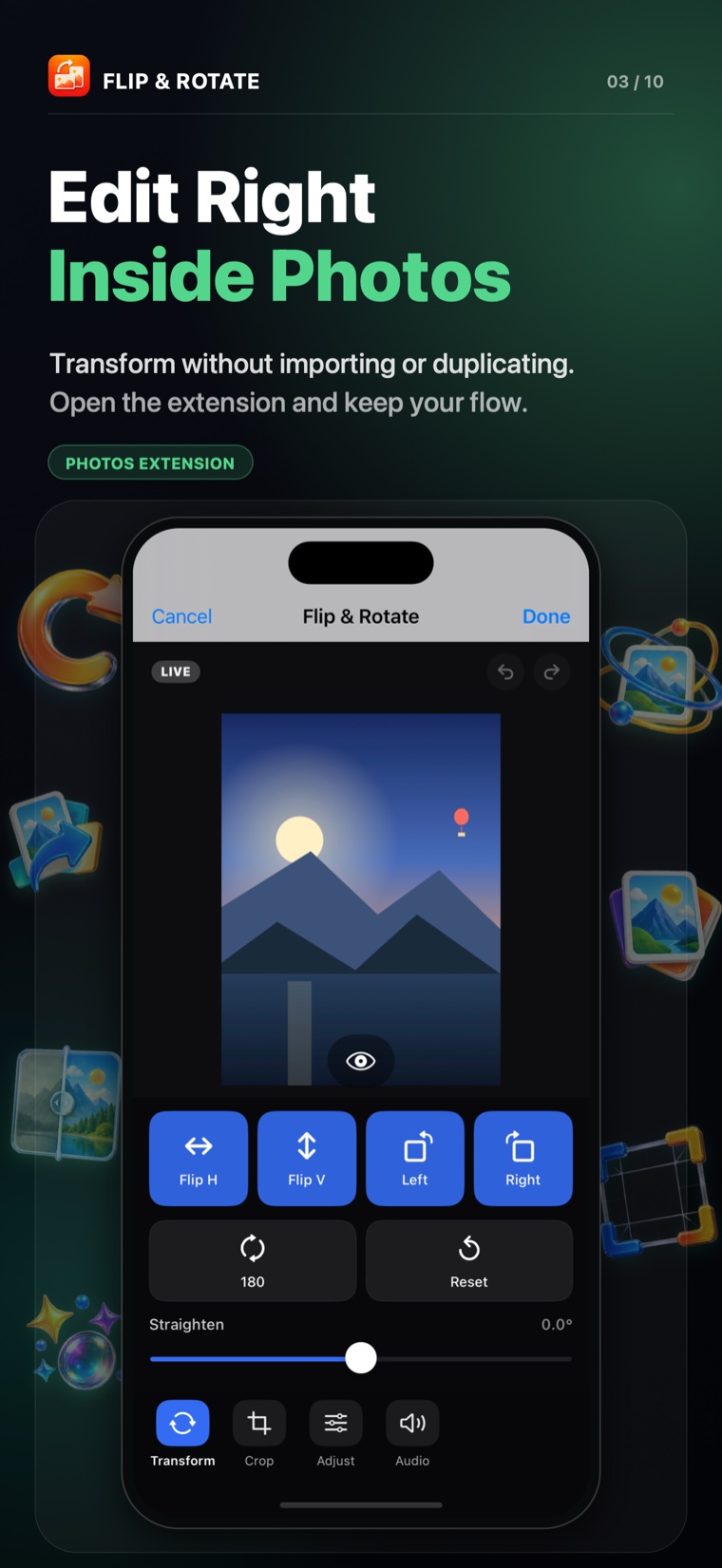
Edit inside Photos
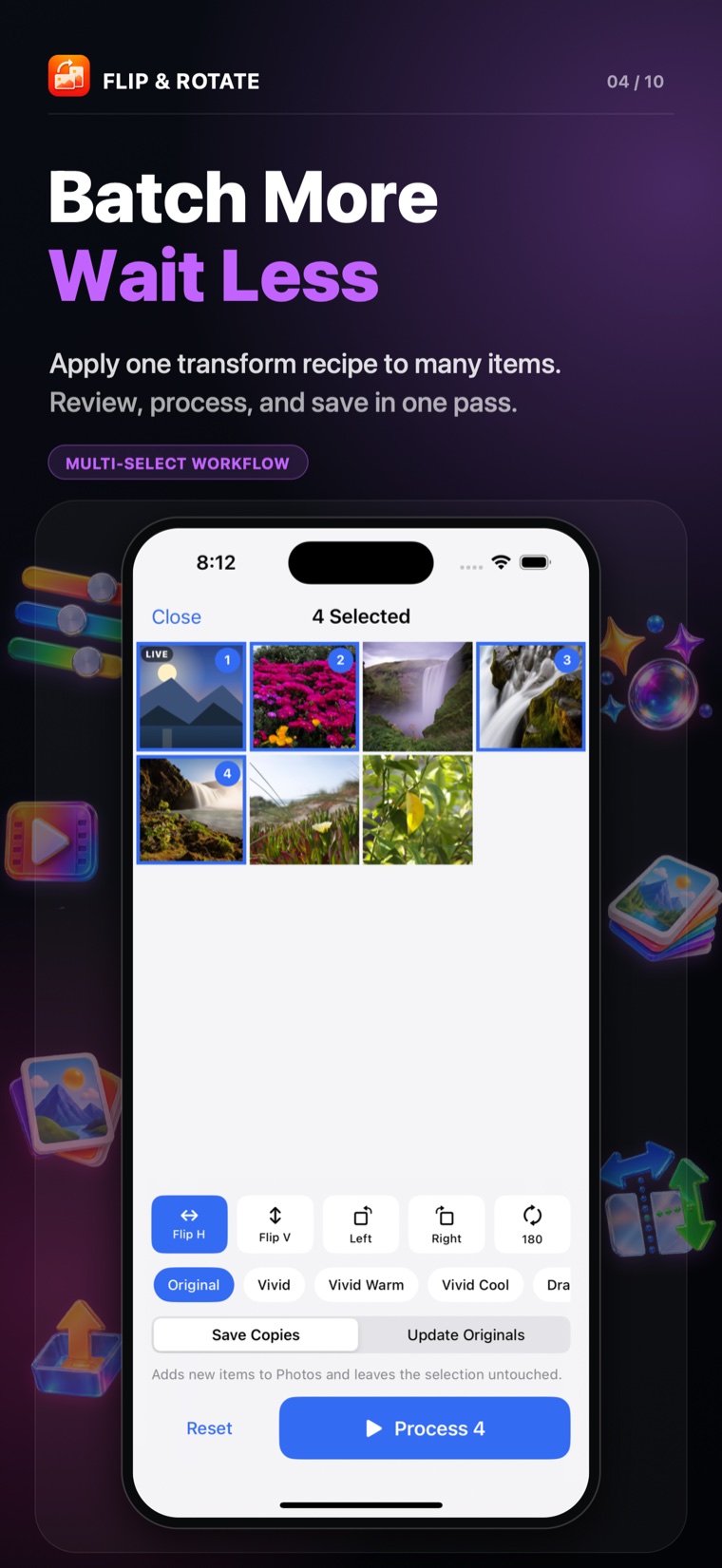
Batch up to 50 items
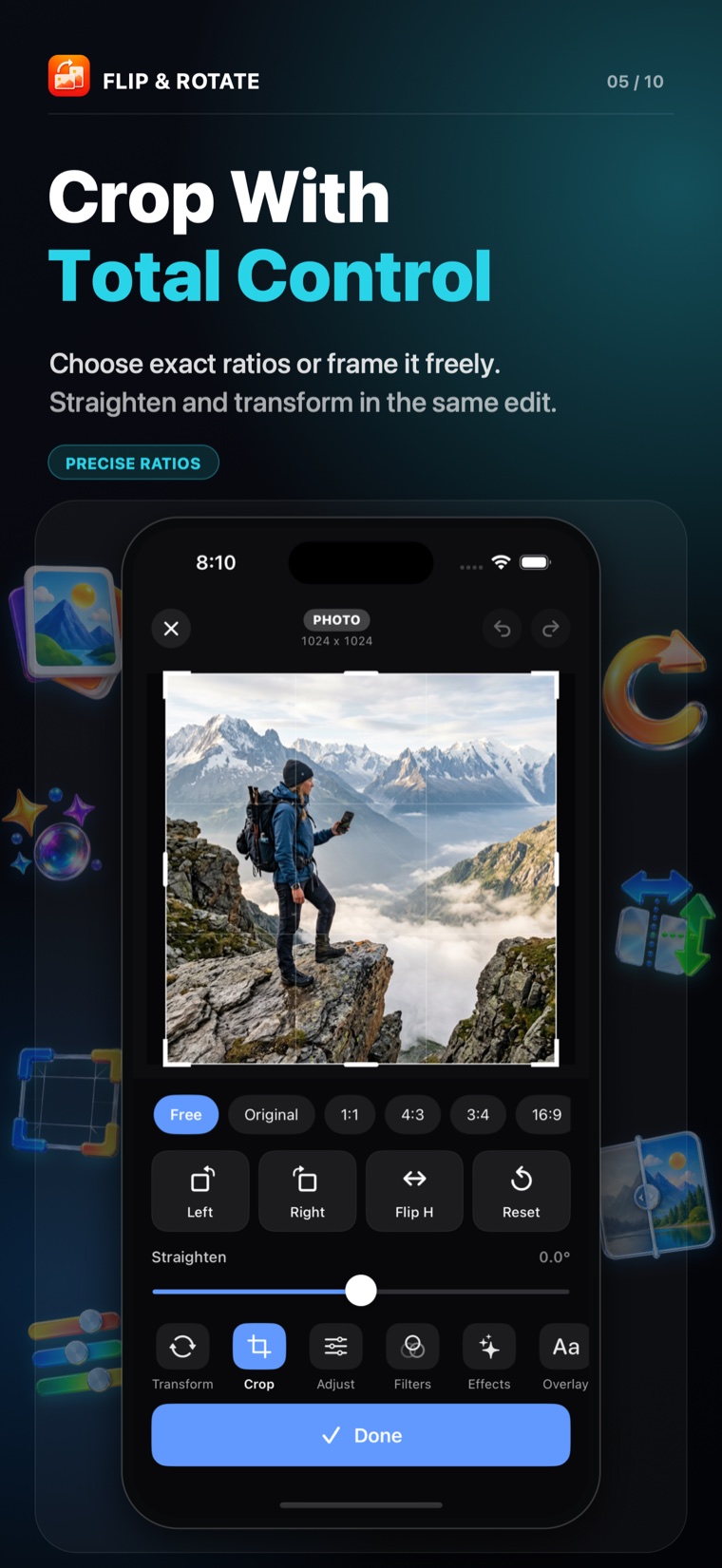
Crop with control
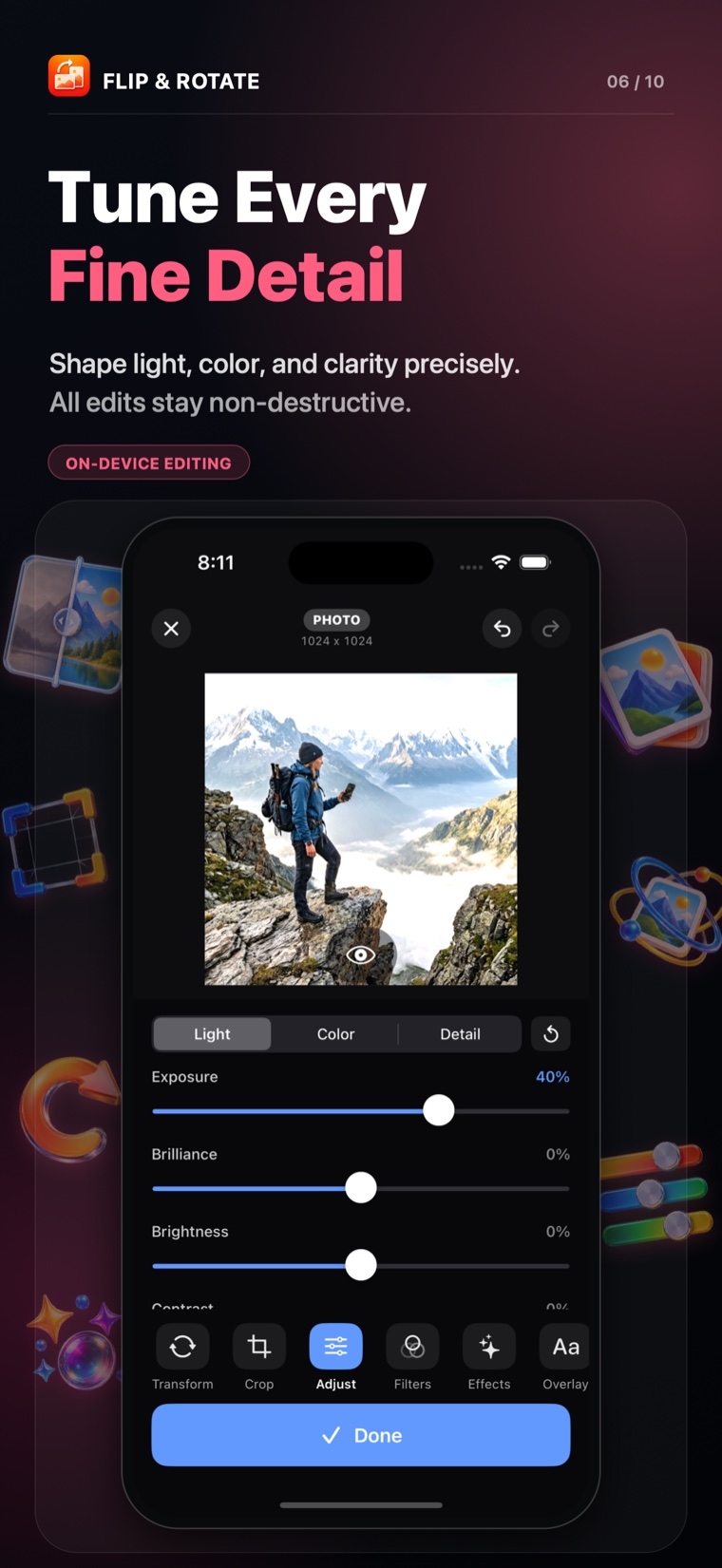
Tune every detail
One editor, three media types
The same rendering system keeps transforms consistent across photos, Live Photos, and videos.
Flip and Rotate
Mirror horizontally or vertically, turn left or right, rotate 180 degrees, and straighten the horizon precisely.
Live Photos Stay Live
Apply the transformation to the still and every motion frame instead of flattening the result into a single image.
Crop and Perspective
Choose familiar aspect ratios, frame freely, and correct vertical or horizontal perspective with Pro.
Adjust and Filter
Shape light, color, and detail, add a visual look, then press to compare the edit with the original.
Text, Watermarks, and Batch
Add static overlays that remain through the clip or apply one transform recipe to as many as 50 selected items.
Photos Extension
Open the editor from Apple Photos and keep the original available for non-destructive re-editing or reversion.
From selection to a finished copy
A direct workflow that keeps you in control of the original.
Choose media
Select a photo, Live Photo, or video from Photos, including items shared through Limited Photos access.
Make the edit
Flip, rotate, straighten, compare, and add optional Pro adjustments using a consistent live preview.
Save your way
Save a new copy or update the Photos item non-destructively so the original remains recoverable.
Your media stays on your device.
Flip Rotate has no QnSub account, cloud renderer, advertising, tracking, or analytics SDK. Your photos and videos are processed locally.
Photos access is requested only when you choose media. Apple services may retrieve an original from your own iCloud Photos library or process an optional one-time Pro purchase.
Fix the frame without losing the moment.
Flip Rotate Live Photos Videos is available now for iPhone and iPad.
About Flip Rotate Live Photos Videos
Flip and rotate Live Photos without flattening motion. Edit photos and videos, crop, compare, batch process, and save privately on iPhone and iPad.
- Available for
- iPhone and iPad
- Requires
- iOS 17.0 or later
- US App Store download
- US$0.99
Download price checked . Regional prices and optional in-app purchases may vary. Check the App Store for the current price.
View Flip Rotate Live Photos Videos on the App StoreCommon questions
Can I rotate a Live Photo without making it a still image?
Yes. The app is designed to flip and rotate Live Photos while preserving their motion, alongside editing tools for ordinary photos and videos.
Are my photos uploaded for editing?
The editor processes media on your device. Its workflow includes crop and adjustment tools, comparison, batch editing, and saving to your photo library.
How can I check that a rotated Live Photo still plays?
After rotating or flipping the image, save it as a Live Photo, then open it in Photos and press and hold to check the motion. Test one result before batch-editing the rest.