FitCheck - AI Stylist
One photo. A clearer way to get dressed.
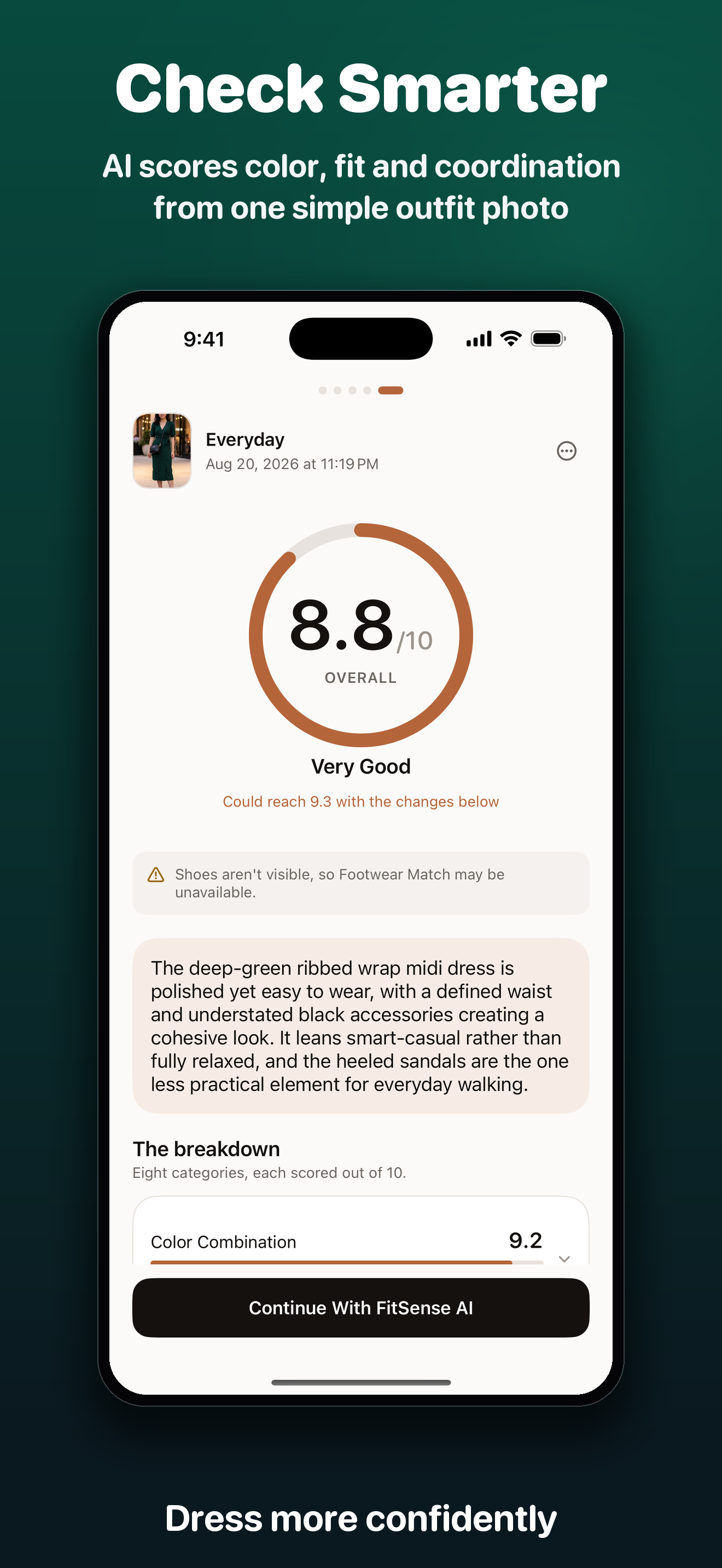
Get an occasion-aware scorecard for color, fit, coordination, footwear, accessories, proportions, and overall cohesion, followed by the few practical changes most worth making.
Available now on iPhone. No account, no public profile, no social feed.

FitCheck - AI Stylist
Lifestyle · iPhone · iOS 17+ · Private local history · Built by QnSub Tech
Real feedback from the real app.
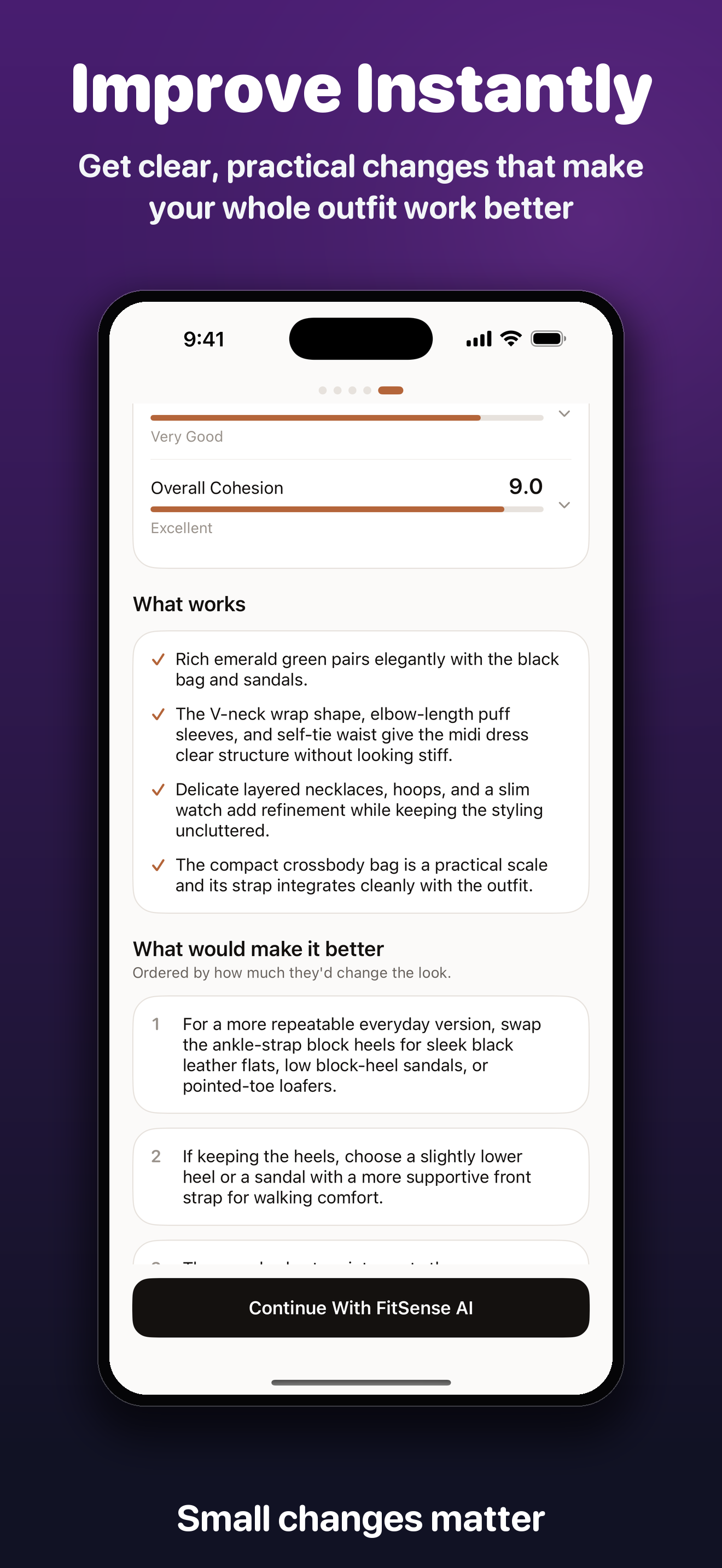
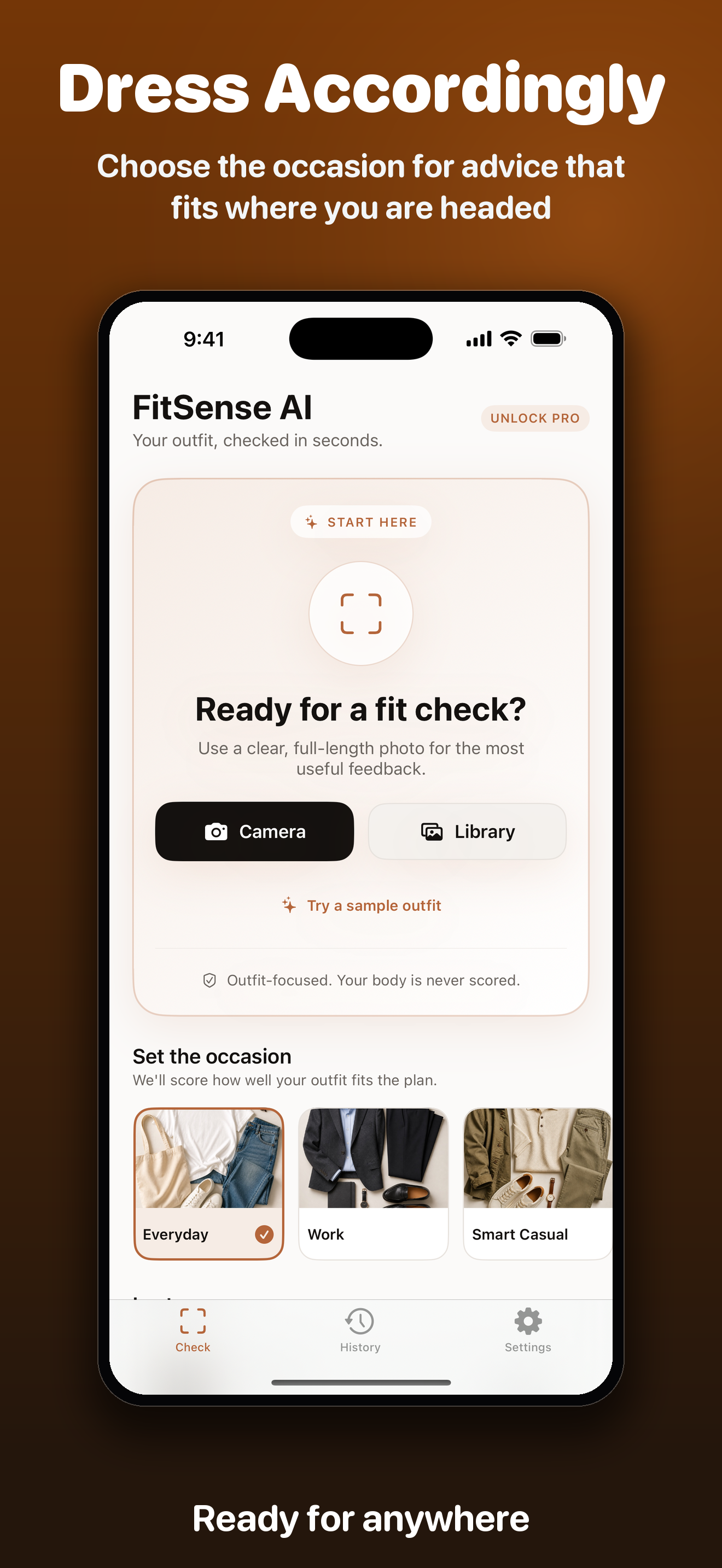
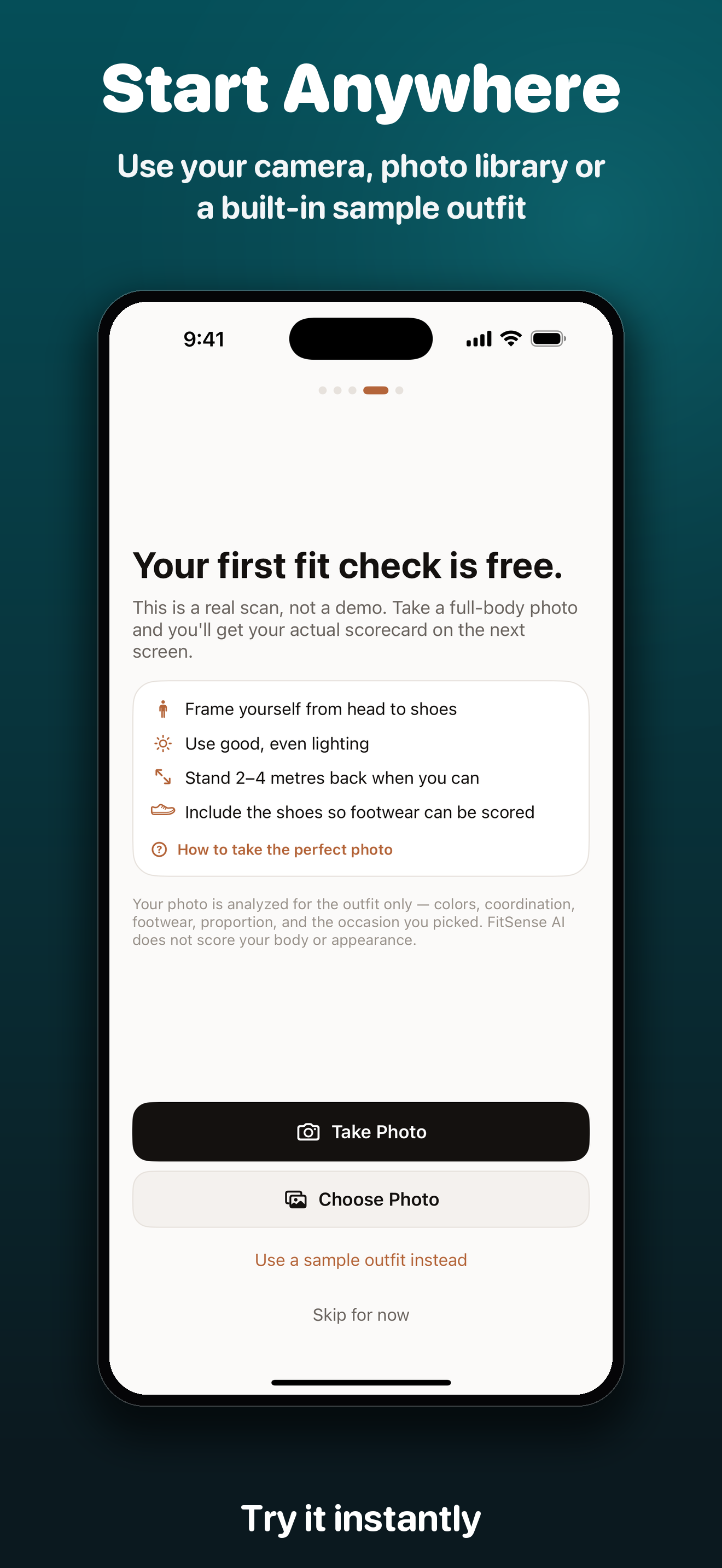
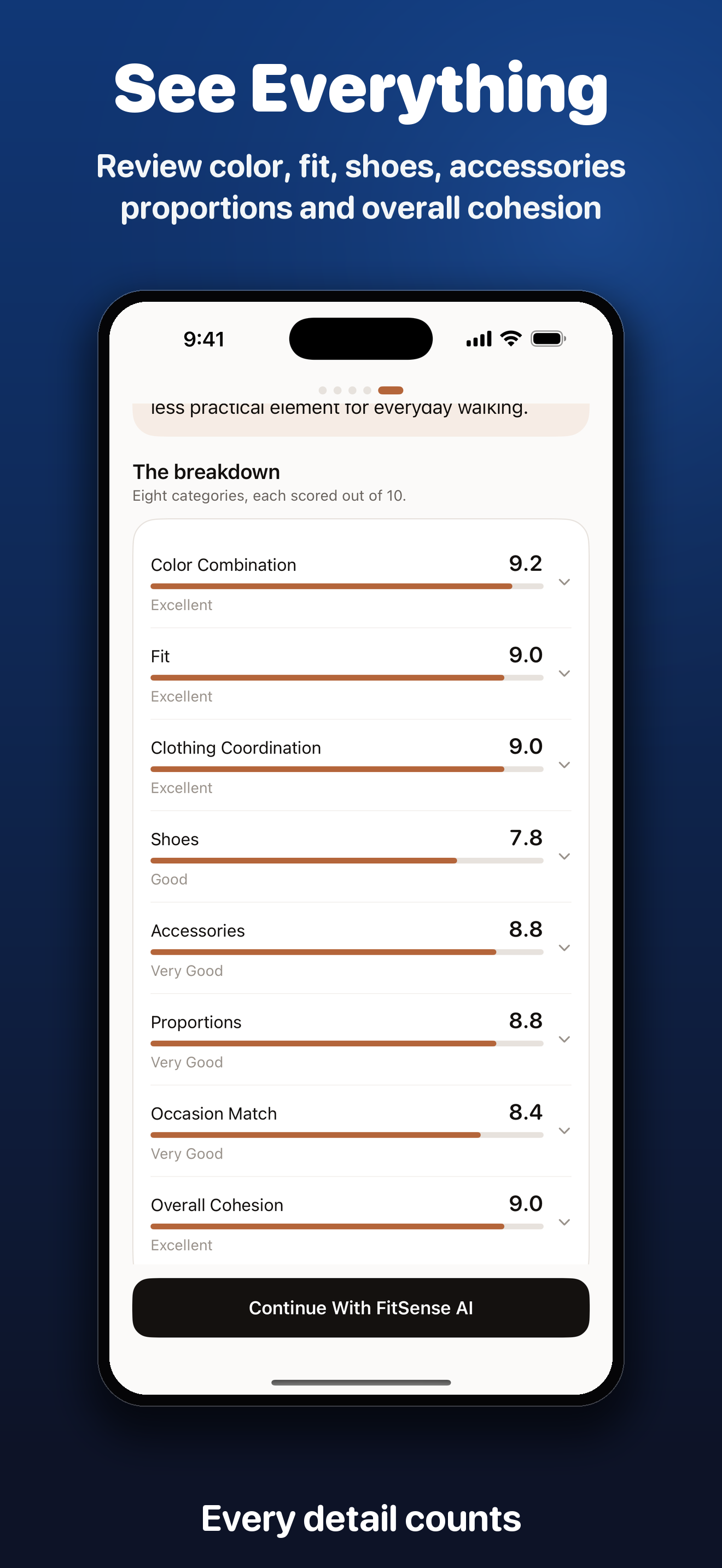
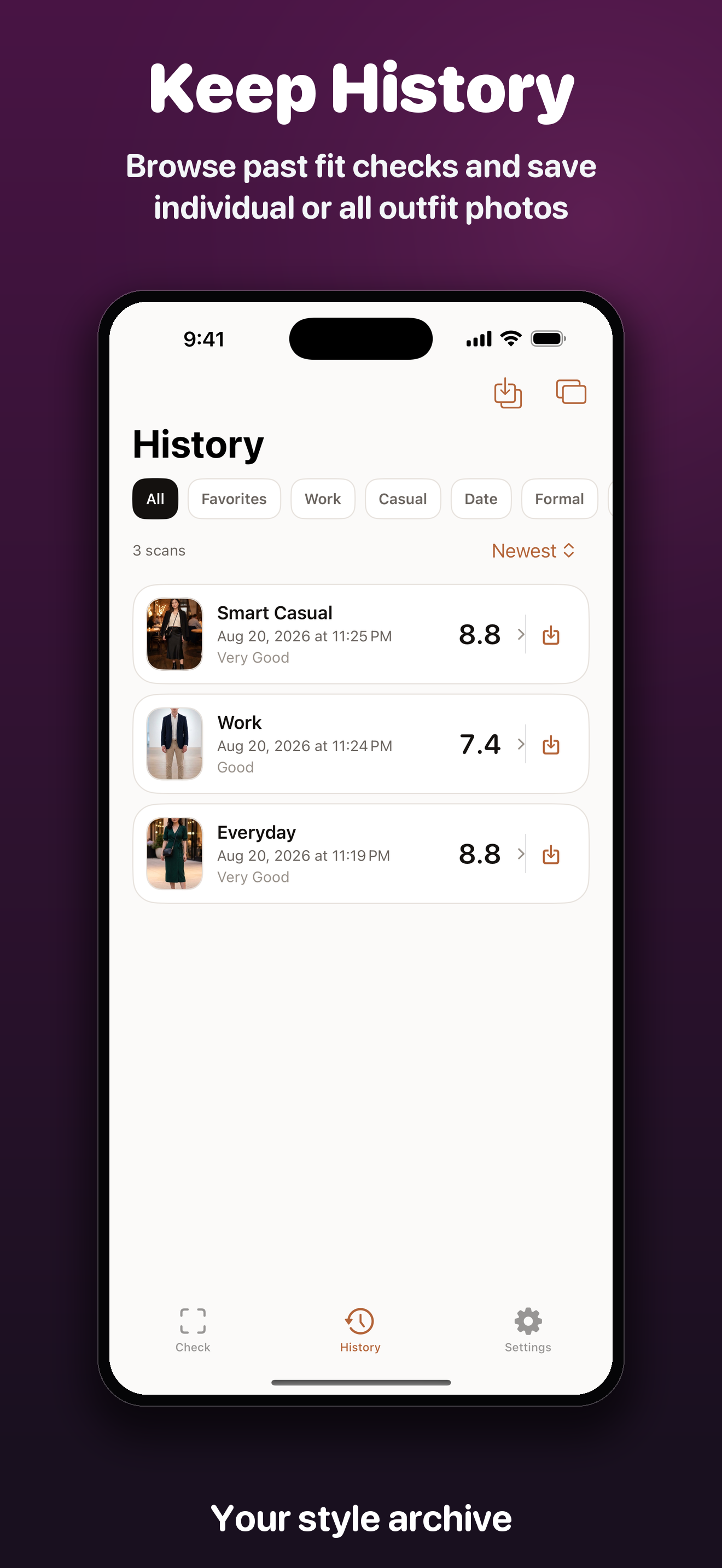
These App Store panels use untouched FitCheck screens from the iPhone build, from the first photo to a complete style archive.
A focused stylist, not another fashion feed.
FitCheck - AI Stylist is built around a single useful loop: check the outfit, understand what works, and make a few informed changes.
Flexible photo input
Take a photo, choose one from the library, or try a bundled sample outfit before using your own image.
Occasion-aware advice
Set Everyday, Work, Smart Casual, Date, Formal, Event, Travel, Outdoors, Beach, Sport, or a custom occasion.
Eight-part scorecard
Review color combination, fit, clothing coordination, shoes, accessories, proportions, occasion match, and cohesion.
Practical improvements
See what already works, the changes with the biggest impact, an upgraded combination, and a potential score.
Private scan history
Browse, favorite, compare, export, or delete past scorecards, with photo retention controlled in Settings.
Outfit-only analysis
Feedback is limited to clothing and styling. FitCheck does not score attractiveness, body shape, identity, or personal worth.
From photo to useful next step.
The app keeps the process short enough to use while getting ready.
Set the context
Choose the occasion and styling direction, then take or select one clear outfit photo.
Read the scorecard
See the overall result, category breakdown, strengths, and any details that could not be judged.
Make the changes
Focus on the short ranked list of improvements instead of rebuilding the entire outfit.
Choose the Pro access that fits.
Every paid plan keeps the same outfit scorecard, history, photo-saving, and comparison features. The analysis allowances are clear before purchase.
Weekly
$3.99 per week. Access renews weekly while active, with up to 25 successful analyses per rolling 24 hours and 90 per rolling 30 days.
Yearly
$49.99 per year. Access renews yearly while active, with up to 25 successful analyses per rolling 24 hours and 90 per rolling 30 days.
Lifetime
$119.99 one time. Access never expires and includes 1,000 total successful analyses, still subject to the 25-per-24-hour and 90-per-30-day rolling limits.
Start with 10 free fit checks. The free allowance does not reset after reinstalling or changing devices. The Lifetime 1,000-analysis allowance also does not renew or reset. Failed or rejected analyses do not count. Apple displays the final localized price before purchase.
Personal photos deserve plain answers.
FitCheck asks before the first remote upload, and choosing Not Now sends nothing. With permission, a metadata-free copy no larger than 1400 pixels is sent through FitCheck's Cloudflare service to OpenAI over an encrypted connection.
OpenAI response storage is disabled. Cloudflare may retain the completed scorecard without the photo for up to 10 minutes to recover a lost response, then removes it through scheduled deletion. Your saved scorecards and optional scan copies stay in the app's private storage on your iPhone. You can withdraw remote AI permission, use Private Analysis to avoid saving scan photos, or remove all saved scans from Settings.
Get a clearer second opinion on your outfit.
FitCheck - AI Stylist is available now on the App Store for iPhone.